
ART-DECOR® – Release 3.10.0
Release notes 23 February 2026
Introduction
We are happy to announce ART-DECOR® Release 3.10.0, a significant release that merges all improvements and fixes from the intermediate Release 3.9.5 (for which no separate newsletter was published) and adds substantial new features. In total, 59 tickets were handled, comprising 27 tasks and stories delivering new features and improvements, and 28 bugs that were fixed. Thanks to all testers and people who submitted improvement suggestions – we are lucky to have you with us.
Release 3.10.0 focuses on the following major areas:
- Scenarios & Transactions: Spreadsheet/Table view for Scenarios and new Transaction Building Blocks (Phase 1)
- Datasets: Significant performance improvements and bug fixes
- Terminology: New National Terminology Center report functions, improved search, and bug fixes
- Publications: Simplified development release dialog, enhanced disclaimers, and FHIR package improvements
- ADA (ART-DECOR Application): Multiple usability enhancements and bug fixes
- FSH: Extended FHIR Shorthand format support for datasets and scenarios
- Implementation Guides: ADRAM now processes ART-DECOR Implementation Guides to properly rendered HTML
- Templates: Several corrections to template cloning, sorting, and associations
- Software Development & Tools: General quality improvements, contrast fixes, and infrastructure updates
A word about Release 3.9.5
Release 3.9.5 was an intermediate patch release that addressed several important bugs and smaller improvements. It was published without an accompanying newsletter. All fixes and enhancements from 3.9.5 are now incorporated into the 3.10.0 codebase and are reflected in the relevant sections of these release notes.
General Remarks / Previews
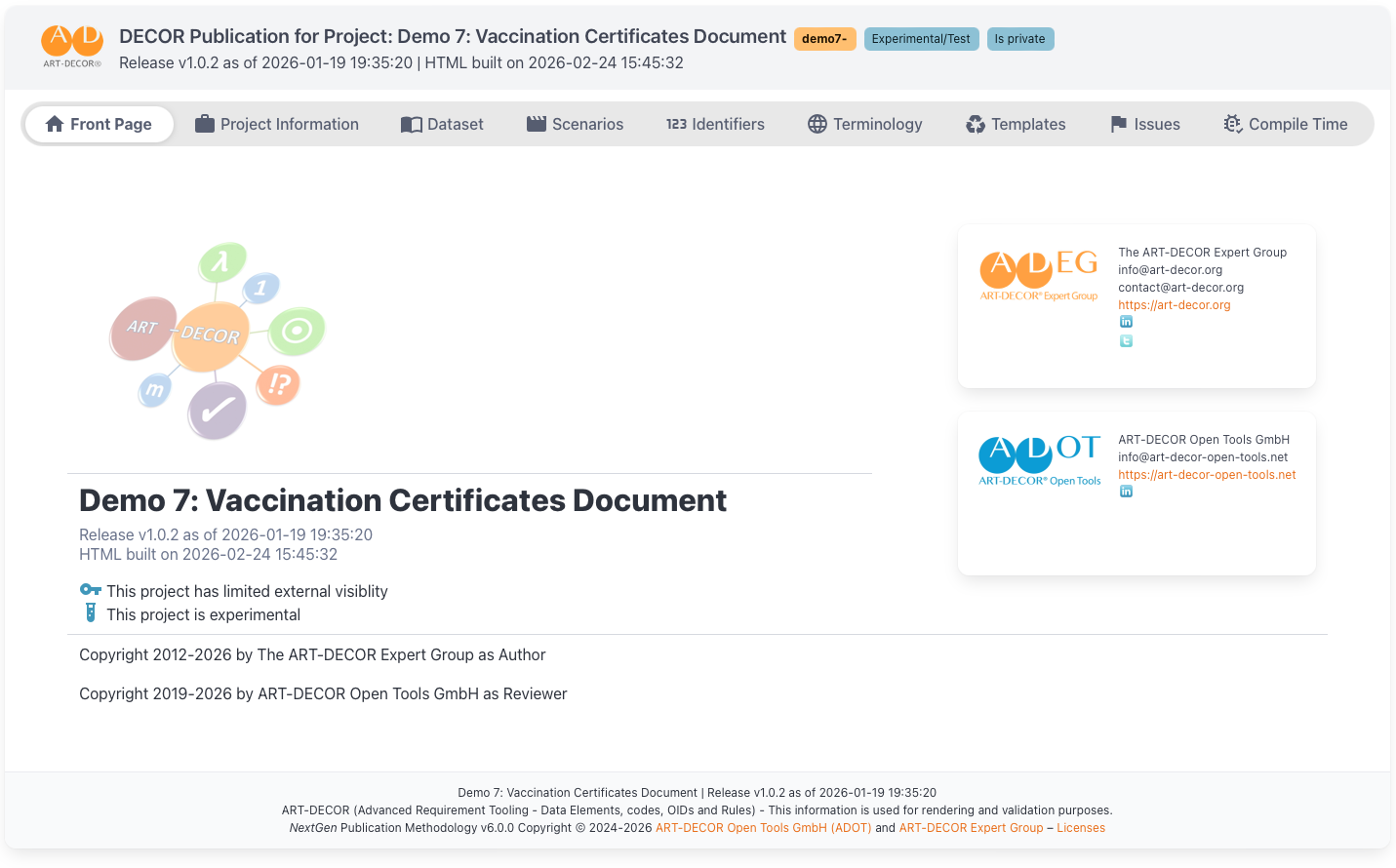
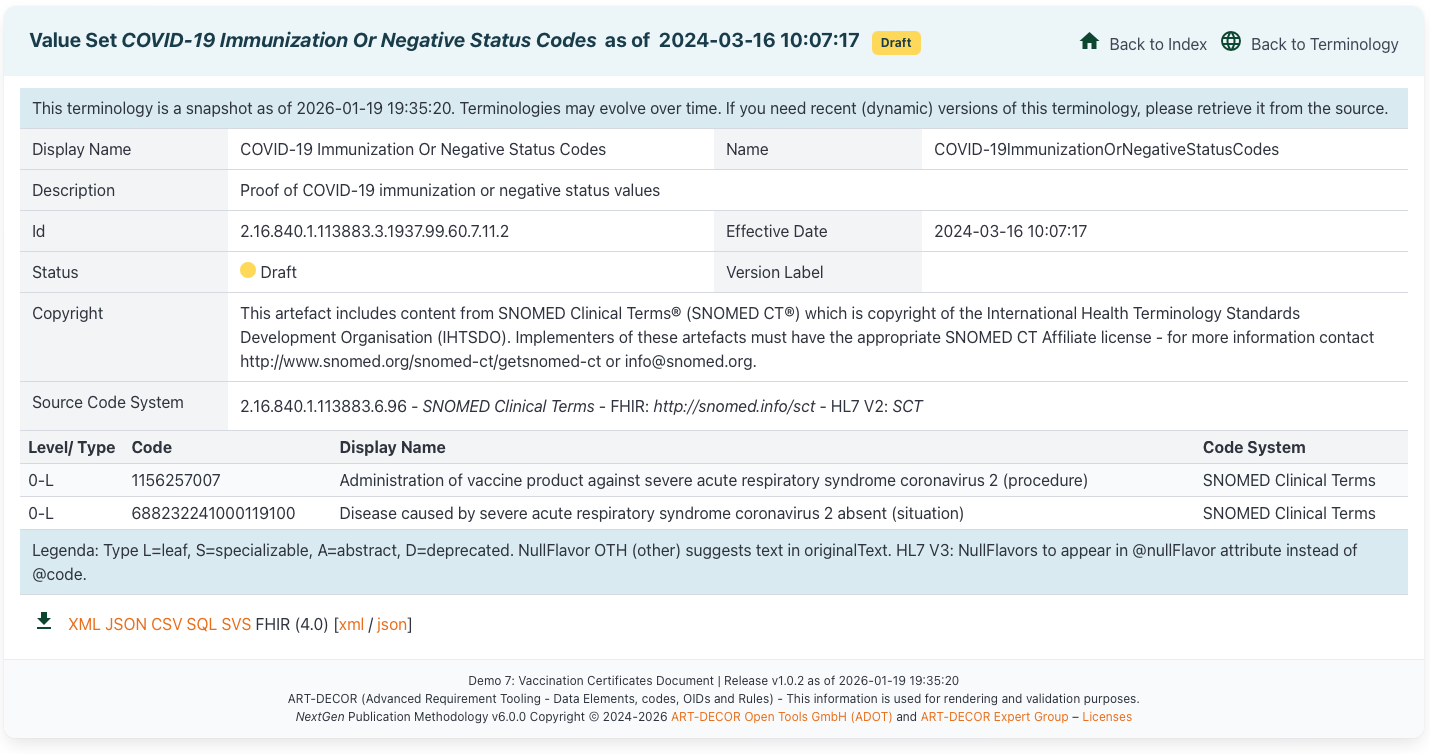
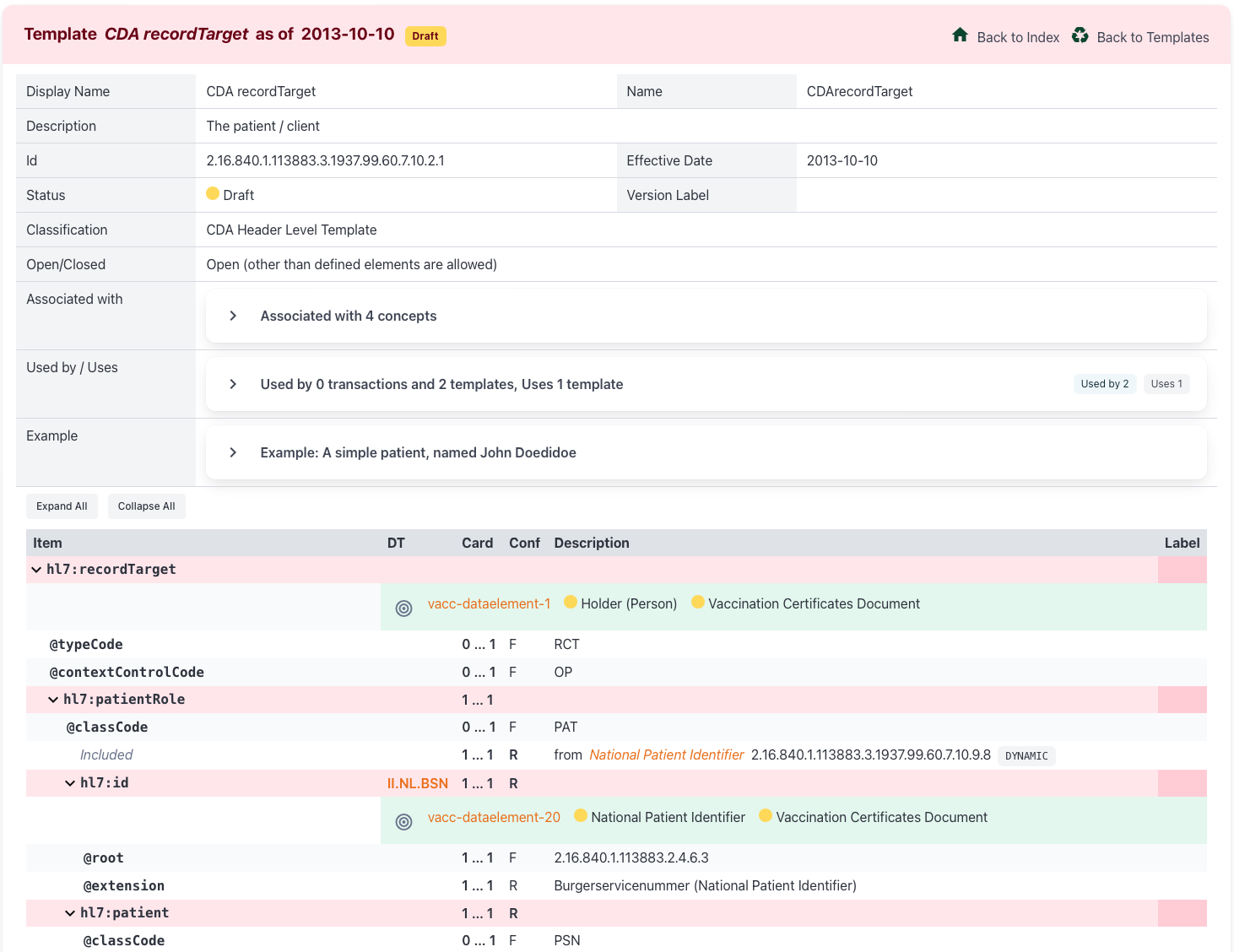
Preview: NextGen Publications
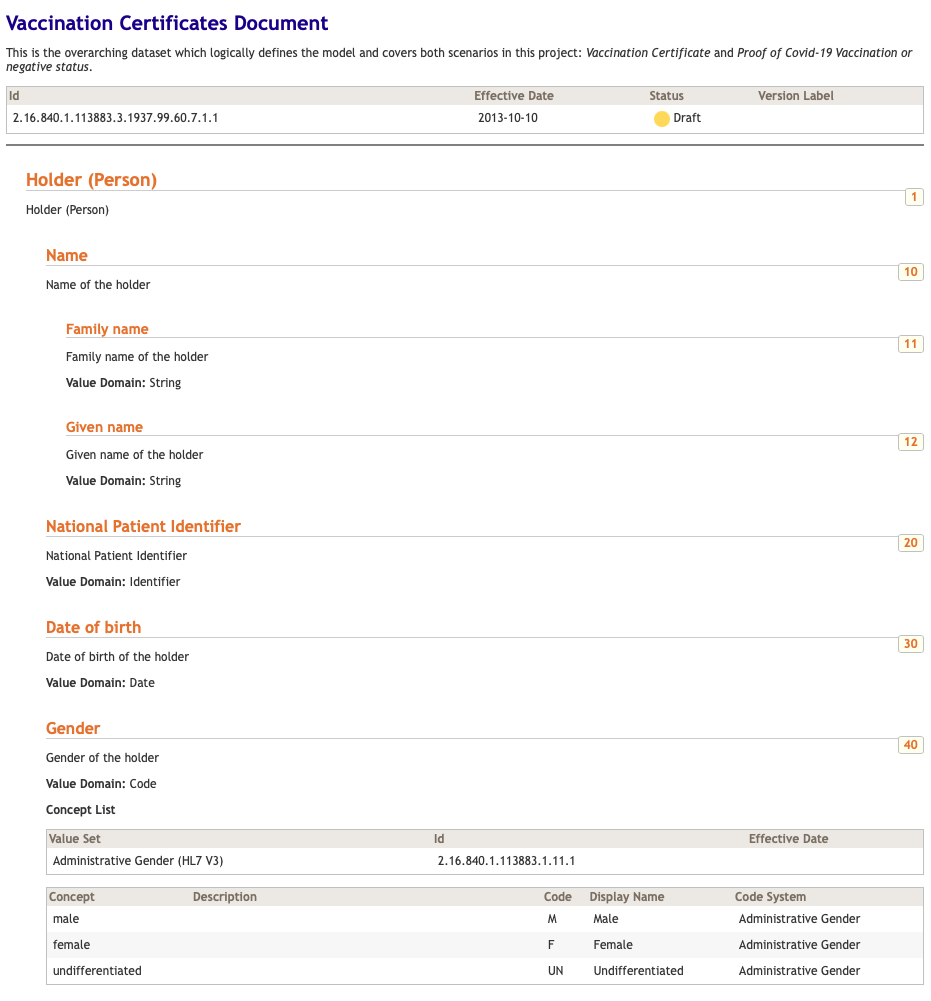
Work continues on the next-generation publications framework. The upcoming NextGen Publications feature will bring a modernized publication pipeline, improved rendering, and better integration with ART-DECOR’s FHIR capabilities. Expect more details in upcoming releases. The following screenshot are two examples of the layout of new next-generation publications.
Preview: Implementation Guide Processing
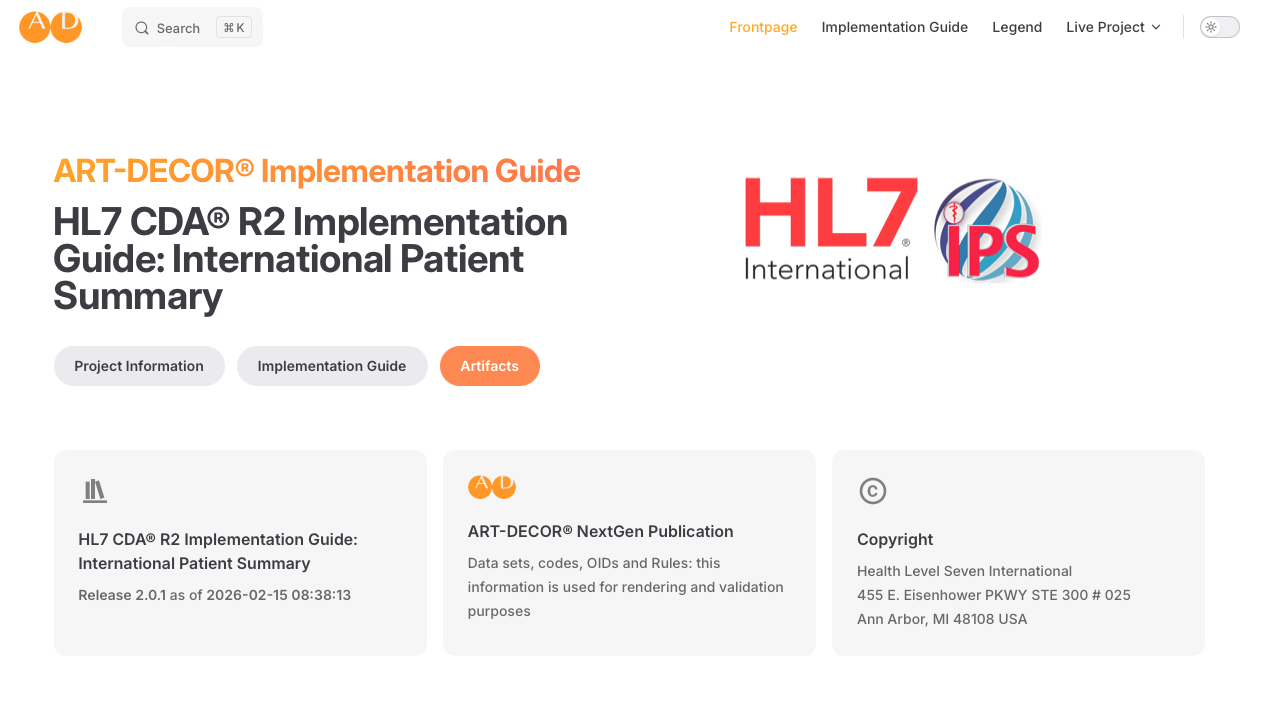
As part of Release 3.10.0 and on, the ART-DECOR Release and Archive Management System (ADRAM) has been empowered to process ART-DECOR Implementation Guides and render them as properly formatted HTML pages. This marks an important step towards full Implementation Guide lifecycle support within the ART-DECOR toolchain. [AD30-2227], AD30-2258]
Scenarios & Transactions
New Feature: Transaction Building Blocks (Phase 1)
We had the client/user request to introduce Transaction Building Blocks (TBB), thus pre-defined transactions that have cardinalities, conformance etc. and that can be re-used in other transactions.
This is a long lasting desire from various sources such as Nictiz and PRSB. There have been intermediate solutions that worked.
As we have to follow our architectural approach that any Transaction will be derivable from one single dataset only. Therefore it is a pre-requisite to include any desired parts of a transaction in a single dataset. This can be done by inheritance (already now in practice) or it can simply be by containment, which look like this example here in demo10.
As of today, we allow users to reference groups of concepts from datasets into their own dataset. The mechanism is well-known as containment and well-documented.
In that demo project you’ll find a set of datasets, among them a building block Patient and a usual dataset called Vital Signs. The latter has a containment on the Patient dataset (root group).
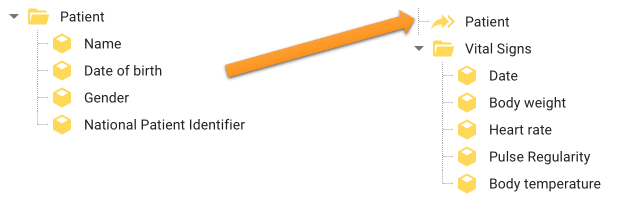
In the example, the dataset uses the “Patient” group including all contained concepts from the same / another dataset indicated with the containment symbol

When using containments in a scenario transaction leaf we can assign cardinality / conformance etc. to that referenced top group… (as here 1..1 Required for “Patient”)
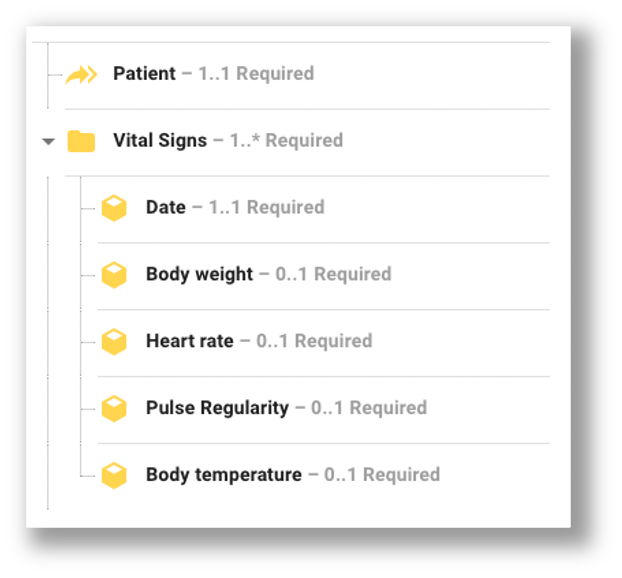
…but not to any of the contained concepts of “Patient”.
This is where the Transaction Building Blocks come into play.
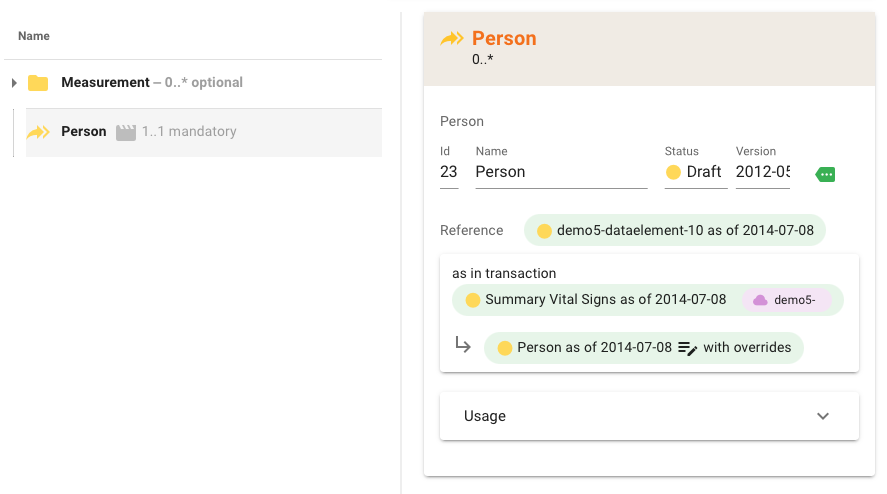
The new feature can be called an “as in transaction” instruction. This allows an addition to the containment in the scenario definition that points to a specific transaction with that referenced group
It is then assumed that the referenced group and all concepts inside carry the same cardinalities etc. as in that transaction. This would mean that the referenced “Patient” group is like defined in the Transaction named “Patient (typical)” (see on the right in the figure below).
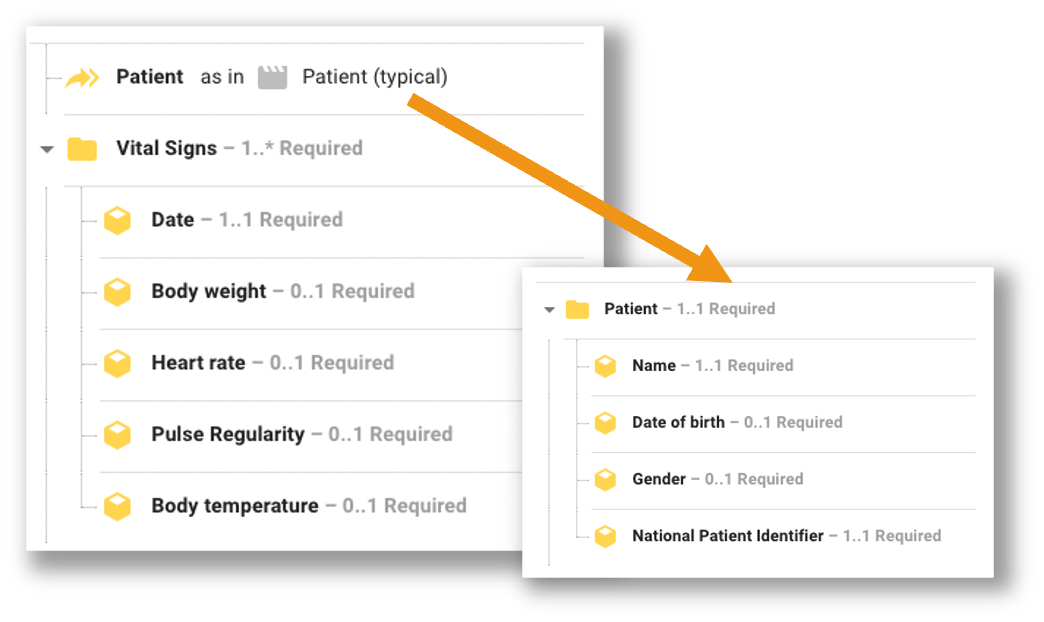
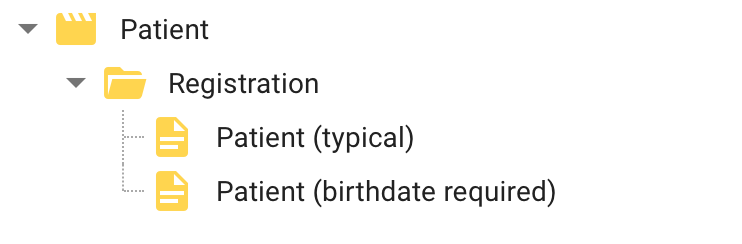
You are be able to choose from all corresponding Transactions (here: for “Patient”), therefore we need a choice dialog in order to assign an “as in transaction” instruction. For example these are all Transactions derived from dataset “Patient”: typical or birthdate required can be chosen to a an “as in transaction” definition.
Phase 1 of Transaction Building Blocks has been delivered, adding backend support for a new piece in transaction/representingTemplate/concept for including building blocks [AD30-2230], as well as the corresponding frontend implementation [AD30-2256]. This lays the foundation for reusable transaction components across projects.
New Feature: Spreadsheet/Table View for Scenarios
A highly requested feature has been implemented: users can now view a Scenario in a simplified Table/Spreadsheet view that resembles the simplified hierarchical graph layout. This makes it easier to review concept structures at a glance. Both frontend [AD30-1137] and backend [AD30-2038] support have been implemented.
Bug Fixes
- [AD30-2270] Scenario Smart Cloning function: enableWhen/downclone was not working correctly. This has been fixed.
- [AD30-2322] Enable Smart Cloning function: an issue preventing the Smart Cloning function from being enabled has been resolved.
Datasets
New Feature: Concept Relationship Origin
[AD30-2262] When a user views a concept that inherits from or contains an original concept indirectly through one or more intermediaries, the relationship to the original concept is now shown when it differs from the default inherit|contains relationship. This helps users understand complex concept hierarchies.
Bug Fixes
- [AD30-2115] RetrieveConceptDiagram SVG on mp gave a timeout. This performance issue has been resolved.
- [AD30-2135] A bug in getDataSet has been fixed.
- [AD30-2145] Services RetrieveDataset performance has been improved.
- [AD30-2154] HTTP 500 was returned for POST
api/concept/{id}/{effectiveDate}/$edit. This has been resolved. - [AD30-2178] Wrong publishing authority data was returned for a dataset when treeonly is true. This has been corrected.
- [AD30-2207] Realtime updates did not work when adding concepts to a dataset without the insertRef parameter. This has been fixed.
- [AD30-2212] GET
/datasetwith search was returning empty strings for ident. This has been corrected. - [AD30-2220] Lock was not deleted after saving a dataset concept. This has been fixed.
- [AD30-2232] PATCH calls for concepts were slow when the concept had a concept list. Performance has been improved.
- [AD30-2287] A false error was thrown on dataset concepts that have ‘inherits’ relationships (previously only triggered for ‘contains’). This has been resolved.
- [AD30-2311] A bug in getDataset release has been fixed.
- [AD30-2318] Associations: the dataset tree was missing concept names. This has been corrected.
Terminology
New Feature: Terminology Reports for National Terminology Centers
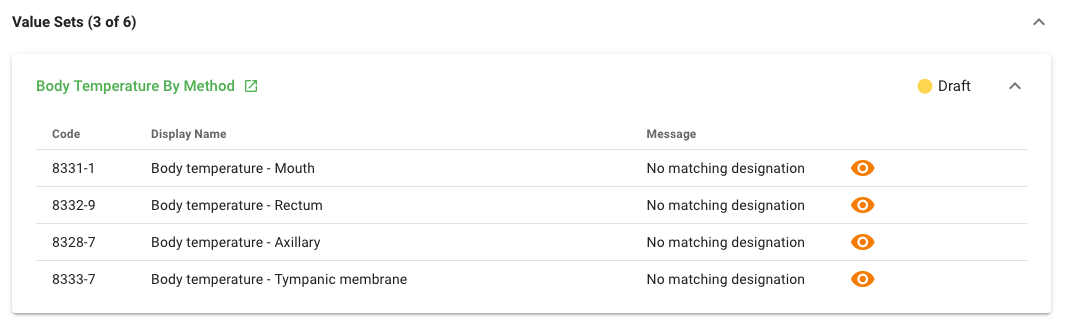
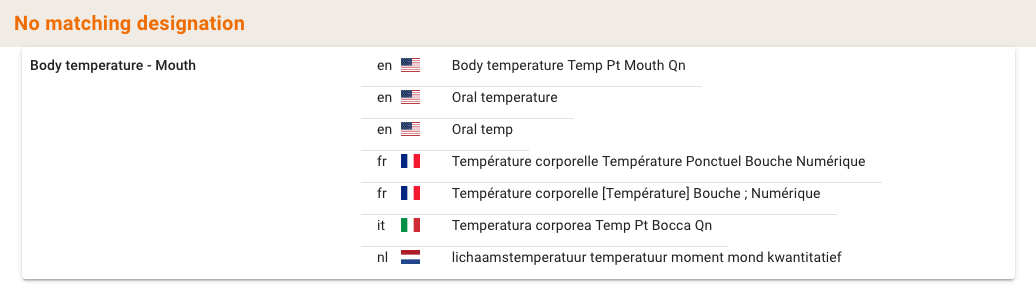
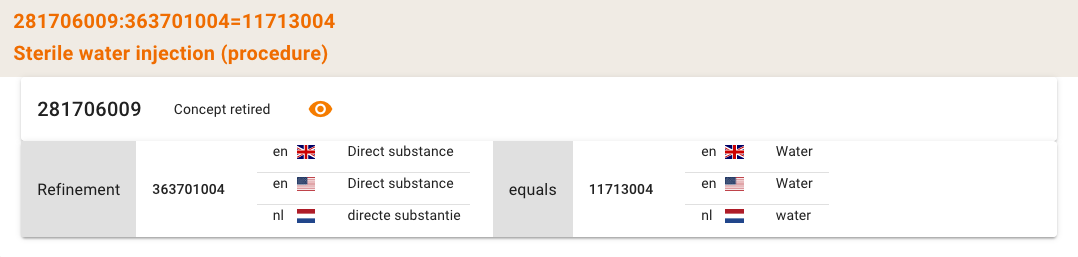
[AD30-2033] New terminology report functions have been added to support National Terminology Centers. The Dutch National Terminology Center can now evaluate the use of SNOMED CT and LOINC in terminology associations and value sets, e. g. for the use of deprecated SNOMED concepts etc. These functions are also available to other national centers.
Following are a few examples of this kind of Terminology Reports for National Terminology Centers: missing matching designations with details and an evaluation of an post-coordinated SNOMED concept that contains a retired SNOMED concept (among many other topics reported).
Further information and documentation can be found here.
New Feature: Improved Terminology Search
[AD30-2282] Terminology search has been improved to handle large result sets more efficiently. The previous more than 25,000 results, please refine search message was problematic for common terms such as procedure. Search performance and result handling have been significantly improved.
Bug Fixes
- [AD30-1914] Codesystems: Intensional links to CSV and SQL download did not work in ART-DECOR 3. This has been fixed.
- [AD30-2240] Projectindex was showing incorrect development version numbers for value sets. This has been corrected.
- [AD30-2292] No concept associations were shown in Valueset usage. This has been fixed.
- [AD30-2309] Empty dataset elements in a terminology report caused an error in the frontend application; the report would not load although the HTML view was fine. The backend now correctly handles empty dataset elements.
Publications
New Feature: Simplified Development Release Dialog and Improved Release Note Field in Publication Dialog
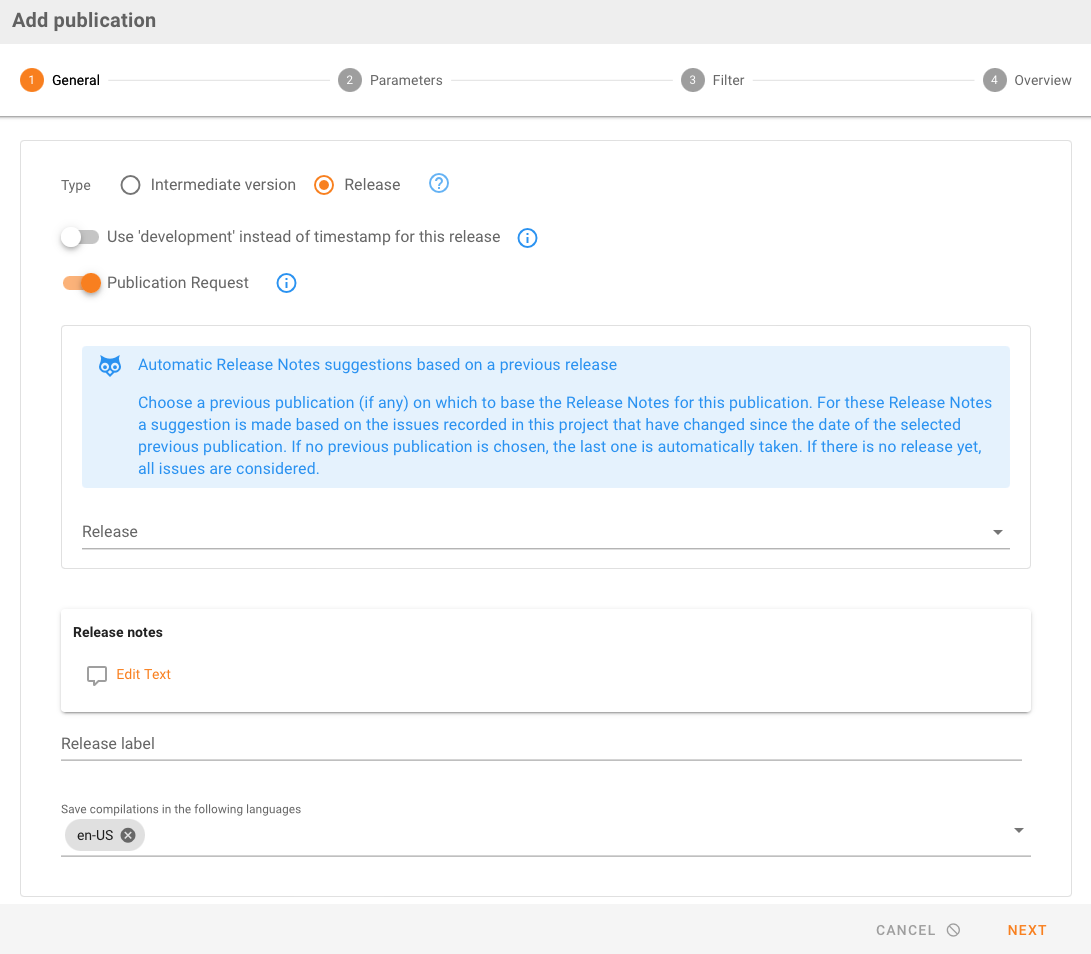
[AD30-2205] The dialog for requesting a development release has been simplified. A development release is never published and does not require the additional publication request parameters (e.g., publication location, languages). The dialog now clearly differentiates between development and production releases.
[AD30-2302] The Release Note field in the Add Publication dialog is now more elegantly laid out and easier to use.
New Feature: Complete FHIR Definitions in FHIR Package
[AD30-2221] All FHIR definitions (not just profile-resources and valuesets) are now added to the FHIR package to better support FHIR StructureDefinition tooling and downstream FHIR validators.
New Feature: Enhanced Disclaimer
[AD30-2288] The disclaimer used for classic (and next-generation) Publications has been enhanced and updated with improved multilingual support.

Bug Fixes
- [AD30-2235] A problem when doing a publication in ‘development’ mode has been resolved.
Implementation Guides
New Feature: ADRAM Processes Implementation Guides to HTML and Improved Implementation Guide Detail Panel
[AD30-2227] ADRAM (ART-DECOR Release and Archive Management System) has been empowered to process ART-DECOR Implementation Guides and render them as properly formatted HTML. This enables proper publication of Implementation Guide content through the standard ART-DECOR publication pipeline.
[AD30-2258] The layout of the Implementation Guide Detail Panel text area has been adapted. The title of the page now appears as a quasi-H1 rendered text instead of a locked ‘Title’ edit field, improving readability and visual consistency.
Extended FSH (FHIR Shorthand) Format Support
[AD30-2098] FSH support for the $extract operator on datasets and scenario/transactions has been implemented. Users can now use format=‘fsh’ to get Logical Models for ART-DECOR datasets and transactions as FSH output.
[AD30-2312] FSH dataset support continued with a development release incorporating test feedback and further refinements.
ADA (ART-DECOR Application)
New Features
[AD30-2324] A new + button has been added on groups, providing easier access to creating a new group without having to scroll to the bottom of the full list.
[AD30-2325] The ‘Remove empty elements/group’ buttons are now also present at the bottom of the page, mirroring those already available at the top.
[AD30-2333] A link to the index-admin page has been added to the ADA project index page, allowing users to navigate directly to index-admin from their project.
[AD30-2327] References to assets.art-decor.org have been replaced with the local server to improve reliability when external servers are unavailable.
Bug Fixes
- [AD30-2301] ADA was incorrectly including value attributes for concept groups. When an instance was created for a concept that was once an item but later changed to a group, the value attributes are now correctly omitted.
- [AD30-2317] ADA unit was not visible in a form when there was only one fixed value. This has been fixed.
- [AD30-2319] ADA was allowing whitespace in code, codeSystem, root, or unit fields. Validation has been added to prevent this.
Templates
Bug Fixes
- [AD30-2150] Cloning a Template was copying name and displayName, leading to unwanted name clashes. This has been corrected so that cloned templates receive appropriately differentiated names.
- [AD30-2216] CDA Template tree sorting order was incorrect. This has been fixed.
- [AD30-2297] Template association was failing when searching. This has been resolved.
Concept Maps
Bug Fixes
- [AD30-2218] A bug affecting the Projectindex concept map development FHIR XML and JSON links has been resolved.
Project
New Features & Improvements
[AD30-2143] Documentation on copyright information has been updated to clarify that an end date does not need to be specified. Users may use the notation ‘2025-’ to specify a from-date without an end date.
Bug Fixes
- [AD30-2149] Project create was including superfluous baseId and defaultBaseId fields on the backend. These have been removed.
Testing and Validation
[AD30-2160] The Vocab Binding Error Message in Schematron has been enhanced. When binding a Value Set on an element and an incorrect code is used in an instance, the error message produced during validation is now clearer and more informative. Below an old a the new example of such kind of error messages.
Before: hl7:patient[hl7:administrativeGenderCode[concat(@code, @codeSystem) = doc('include/voc-2.16.840.1.113883.1.11.1-DYNAMIC.xml')//valueSet[1]/conceptList/concept/concat(@code, @codeSystem) or @nullFlavor]] is required [min 1x].
Now: The value for “administrativeGenderCode/code” SHALL be selected from ValueSet 2.16.840.1.113883.1.11.1 DYNAMIC.
Performance and Stability
[AD30-2094] Internal refactoring: questionnaire-api is being "deconstructed" by moving all functionality used in at least decor-services from questionnaire-api into the util-questionnaire-lib. This improves modularity and maintainability. About the gained performance boost there will be a BLOG soon explaining backgrounds and actual achievements.
Software Development / Tools / Application Behavior
New Features
[AD30-2225] A DECOR check has been added for concepts that have both ‘contains’ and other elements besides ‘comment’. Previously users encountered a hard server error; this situation is now caught proactively during the project check.
[AD30-2280] An owl/hint notification has been added for the building block repository when no value set, concept map, code system, or template is found in scope. Users are now informed that their search term may not yield results because the target building block repository is not in scope.
[AD30-2289] A link to request a new user account has been added to the home landing page, making it easier for new users to get started.
[AD30-2313] Smaller corrections have been applied to the periodic notifier function, including the removal of an unwanted predicate that was a relict of testing.
[AD30-2326] The AdArtefactDetails Pill now shows the version label. Previously version labels were not displayed at all; they are now shown by default in the format ‘(label)’.
[AD30-2039] Acceptance testing for Release 3.10 has been performed against the standard regression test process.
Bug Fixes
[AD30-2112] Checks of the format parameter were not working correctly. This has been fixed.
[AD30-2210] Frontend display of backend error messages has been improved for better clarity and diagnostics.
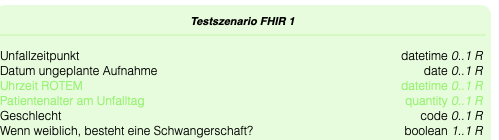
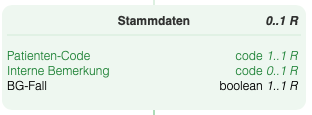
[AD30-2316] Contrast on SVG rendering of datasets and scenarios was too low. Contrast has been increased to improve readability and accessibility.
Before:
Now:
Hints for Updating an ART-DECOR® Release for local installations
For all our hosted servers we do planned and announced updates of the server software regarding backend and frontend, comprised of ART-DECOR Vue and ART-DECOR http-proxy.
Please Note
When you have a local installation of ART-DECOR and want to update to this release, please consider reading our Updating an ART-DECOR® Release documentation.
Thank you
A BIG thank you!
We are always thankful for any comments and suggestions.
Special thanks for the feedback regarding the Template Viewer and Editor to the colleagues from ELGA (Austria) and HL7 Italy / Ernst&Young (EY) and for Dataset and Questionnaire editor to the Berlin Institute of Health @ Charité team.
Especially in the terminology and questionnaire sector we got great feedback from the Dutch ICT Institute in Health Care (Nictiz). Thanks to Gunter Haroske working for the Deutsche Gesellschaft für Pathologie / German Association of Pathology pointing to shortcomings and missing features in our Questionnaire functions and to the Dutch Uitkomstgerichte Zorg Program for contributions in the same area.
Special thanks also to the mio42 GmbH team, Agence du Numérique en Santé (ANS) and our partners at Kereval / IHE Europe for testing, feature suggestions and bug fix requests.
Please don't hesitate to write us with suggestions for improvements or feature requests to our email address provided for this purpose: feedback@art-decor.org, also easily reachable through the Services Card at our ART-DECOR landing page (the link with the bulb 😃).
Outlook
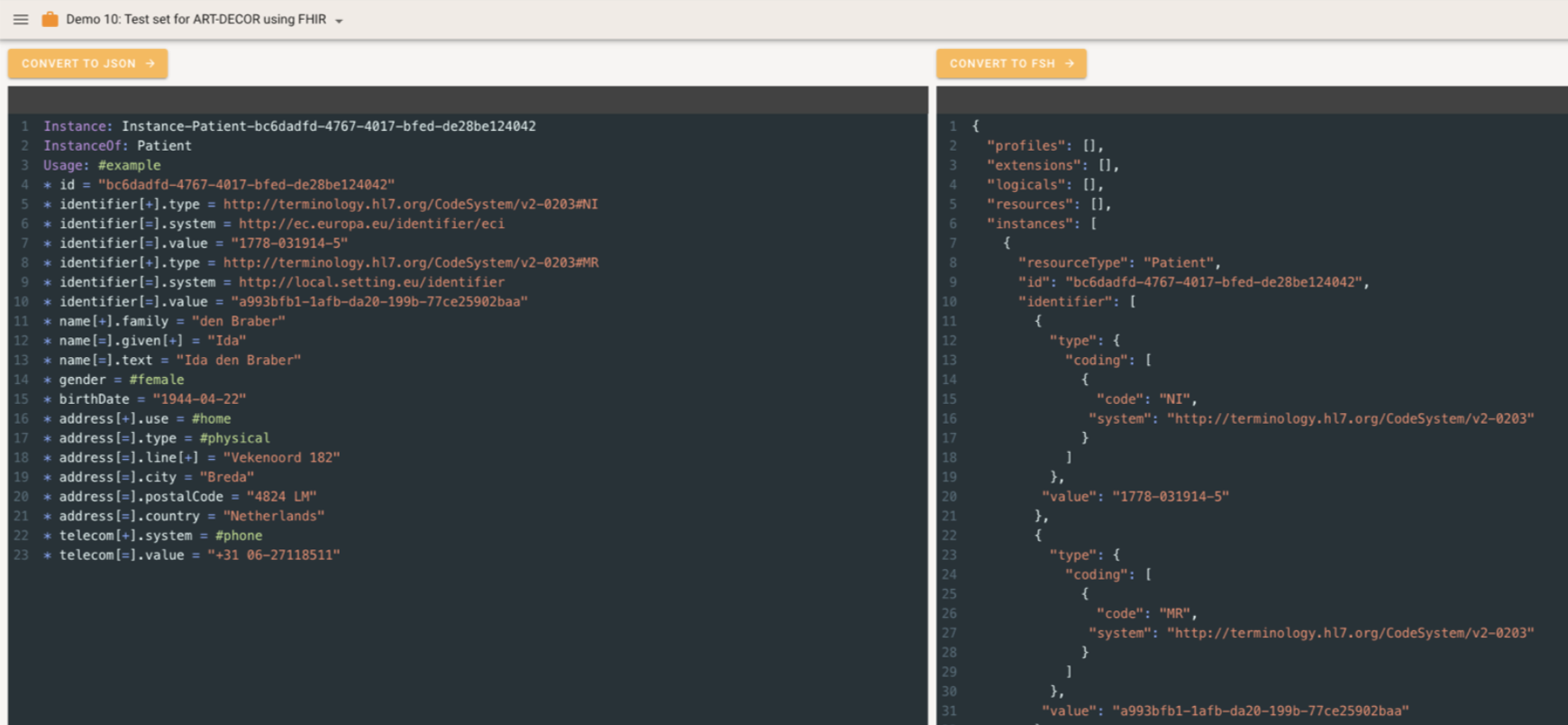
Current development is heading towards further Releases 3.10.1 and 3.10.2 as well as towards 3.11 which focuses on further enhancements and features for Transaction Building Blocks and Questionnaire Management. We plan to have intermediate minor releases 3.10.1 and 3.10.2 to tackle the Transaction Building Blocks features appropriately but stepwise. We are also working hard on our new FHIR Profile Editor utilizing FHIR Shorthand (FSH), here a sneak preview.
At the same time we are currently also working on the ART-DECOR Release 4 series. This will imply a big update on the frontend as we switch to Vue 3, also the backend will make use of the new eXist-db Database Release v6.4.0.
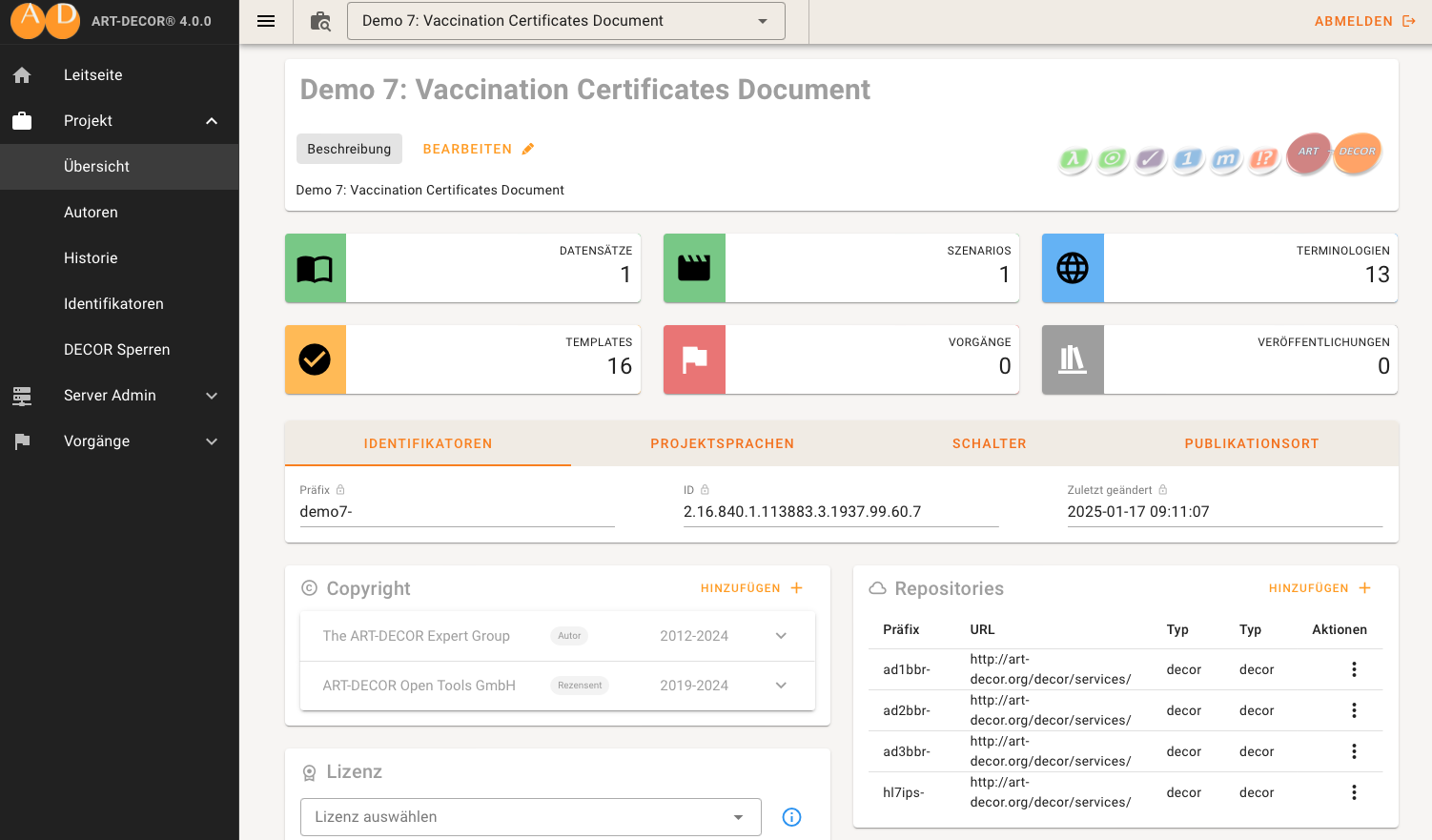
As you can see: more on that to come. Thank you for your patience. Stay tuned.